Odexalabs Vigil: The Odoo Operations Suite
Monitor, diagnose, alert, optimize and protect your Odoo instance from a single unified dashboard.
The premium mission-control center for Odoo. Monitor production health, automate cloud backups, detect issues before they become outages, and keep every Odoo instance running at its best — all from a single unified dashboard.
Beyond Traditional Odoo Monitoring
"Purpose-built for Odoo operations, not just another monitoring dashboard."
Actionable Monitoring
Go from detection to resolution with built-in actions that help you investigate and resolve issues without leaving Odoo.
Odoo-Native Intelligence
Purpose-built for Odoo and PostgreSQL with application-aware insights that generic monitoring tools simply don't provide.
Production-Ready Operations
Monitor, diagnose, protect, and maintain production Odoo environments from one unified workspace.
Documentation That Saves Time
Comprehensive documentation with practical guidance for every feature, making administration easier for teams of any size.
Catch Failures Before Your Users Do
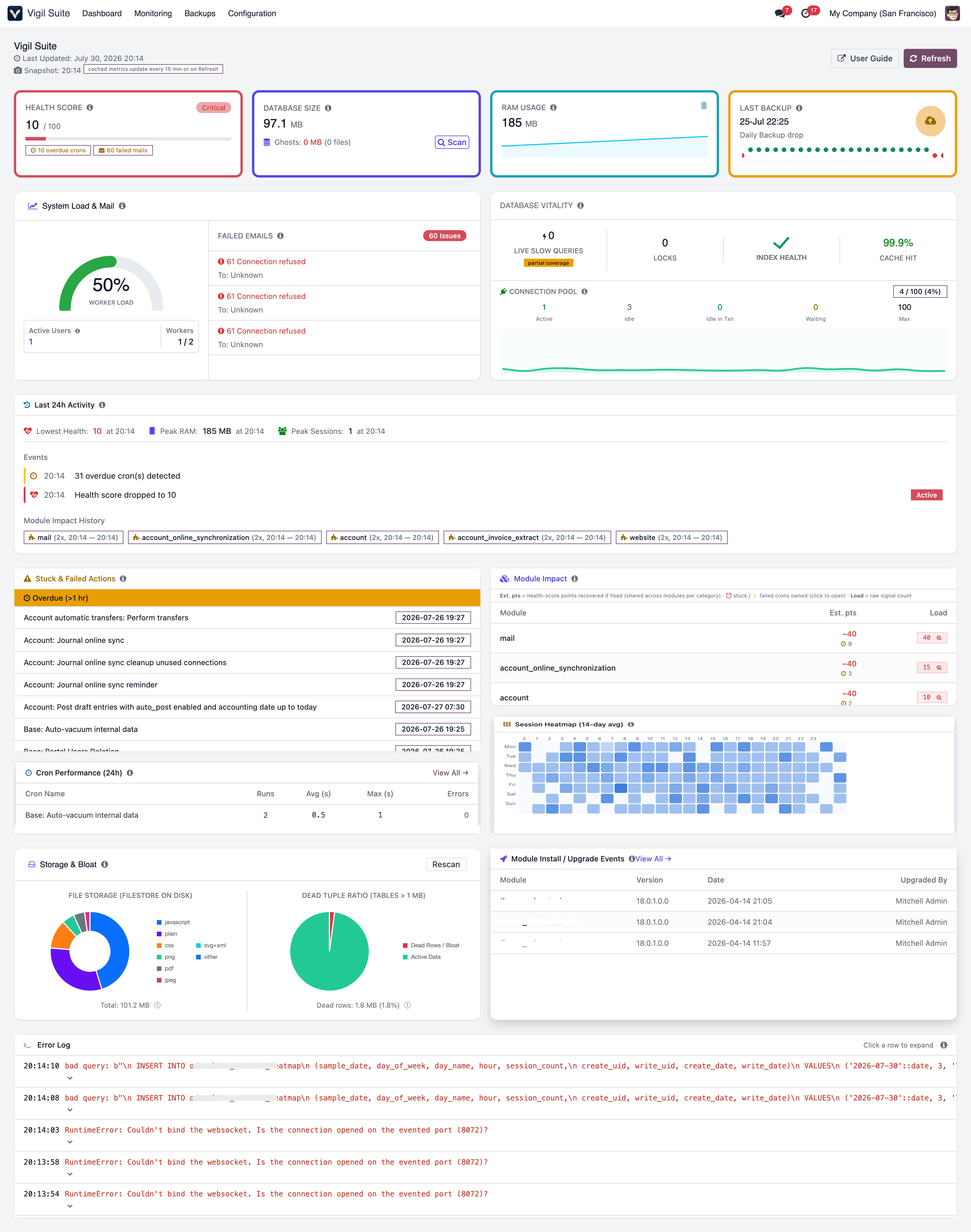
Gain complete visibility into your production environment with live health scores, cron activity, performance trends, and operational insights — all from a single dashboard.
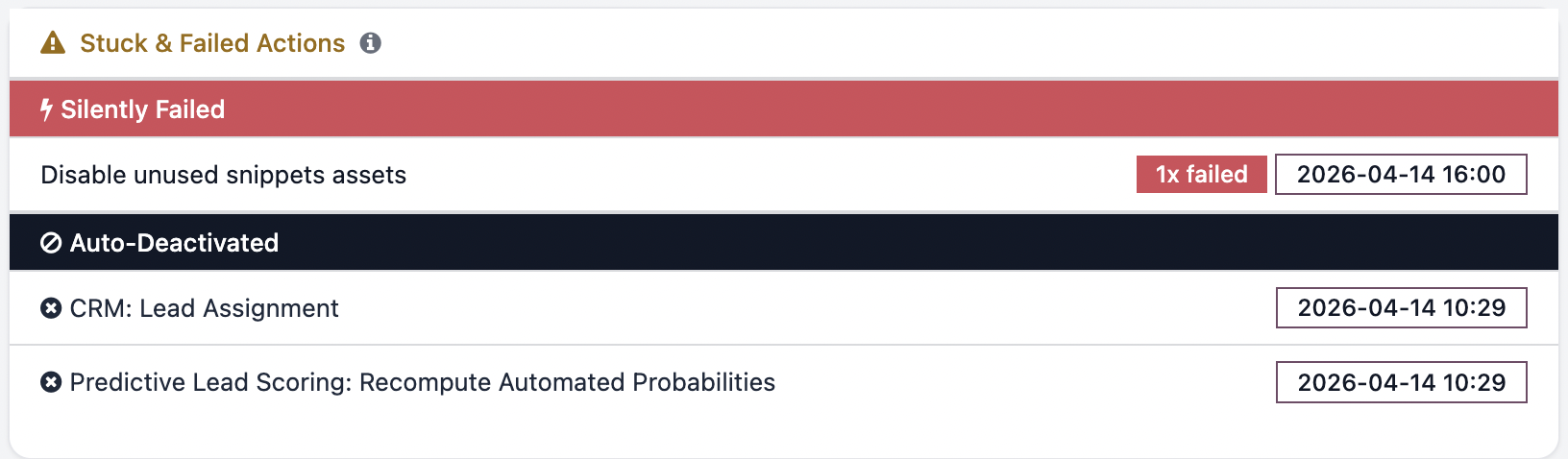
- Three-tier cron detection: Overdue, silently failed, and auto-deactivated — colour-coded by severity.
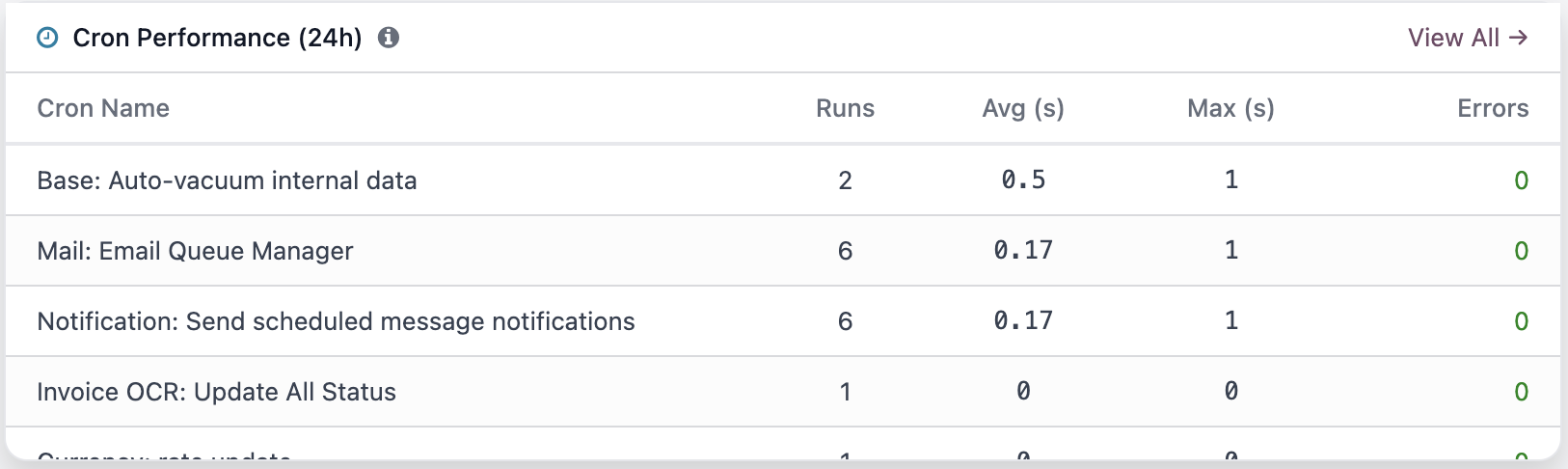
- 24-hour cron performance: Top 10 slowest scheduled actions with average and max duration.
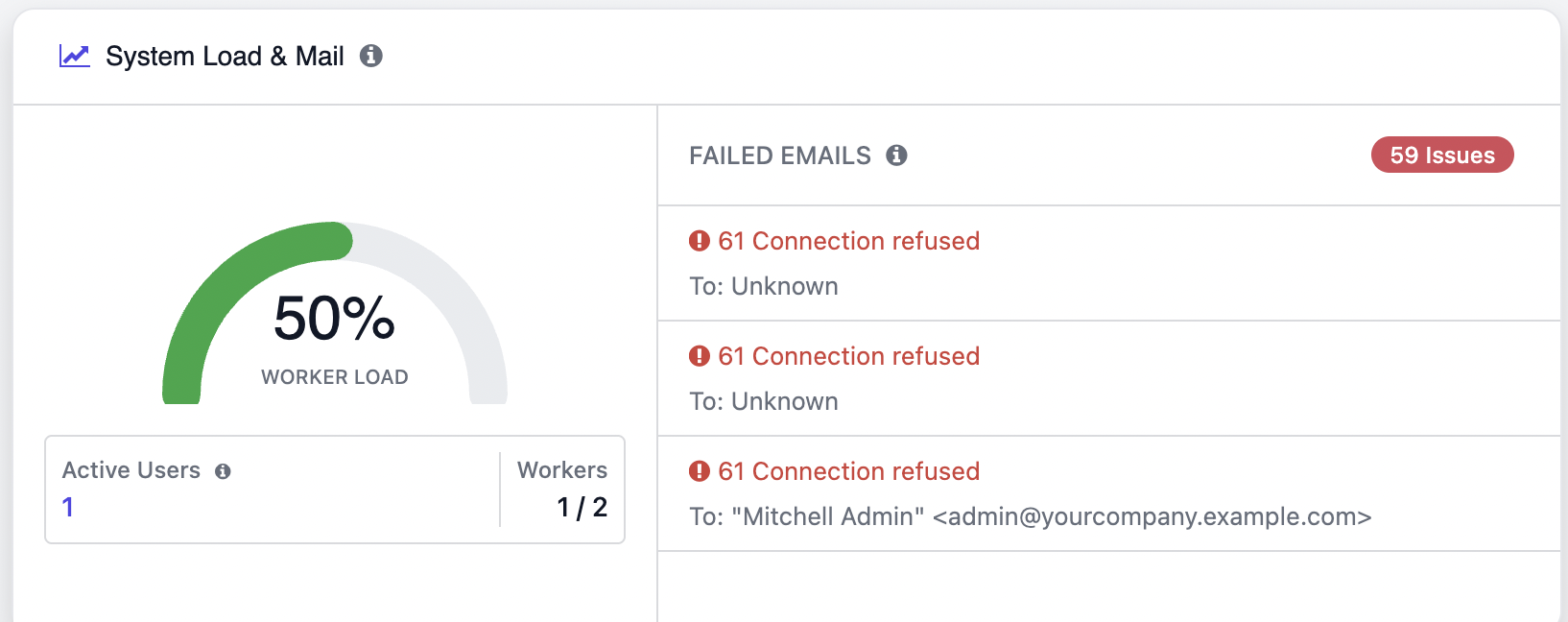
- Failed mail queue & worker load: Adaptive gauge for multi-worker or threaded Docker deployments.
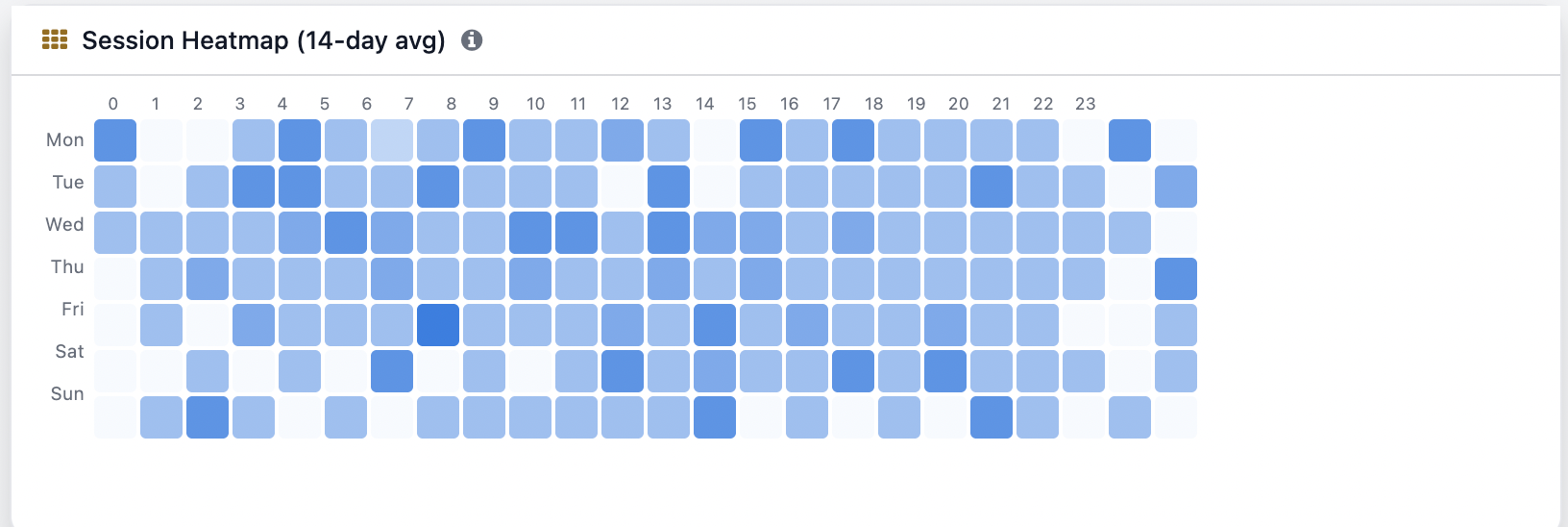
- 14-day session heatmap: Pick the quietest window for maintenance, VACUUM, and upgrades.
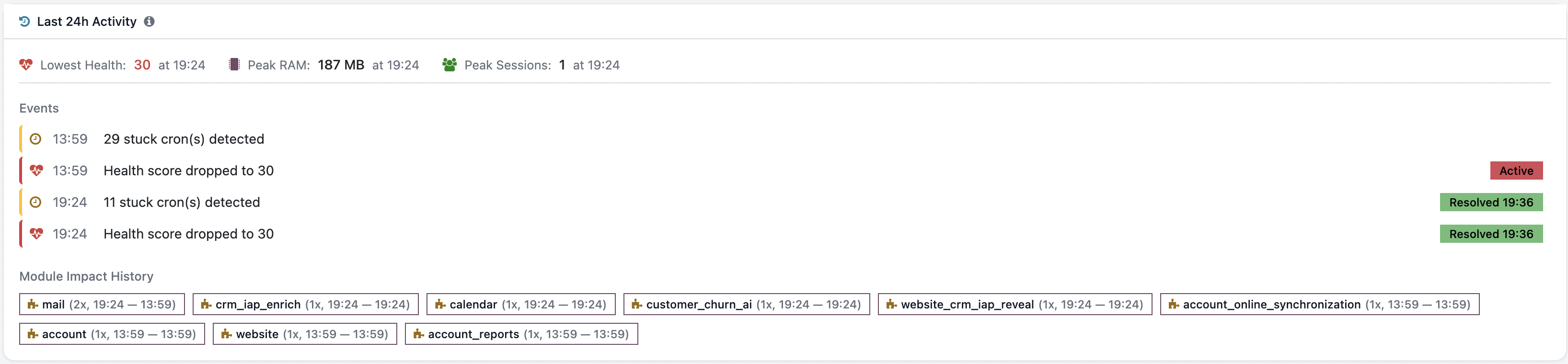
- Auto incident timeline: Score drops, RAM spikes, cron failures — auto-resolved as metrics recover.
Stay Ahead with Smart Alerts
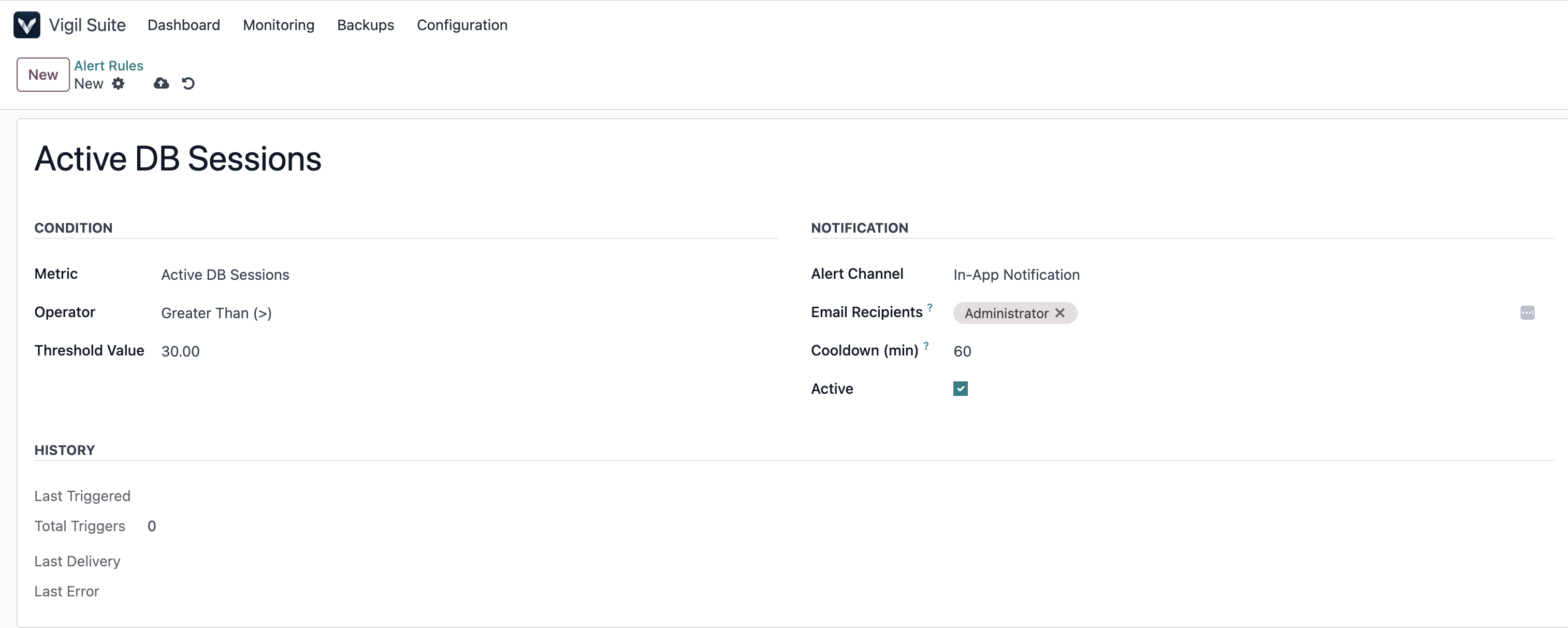
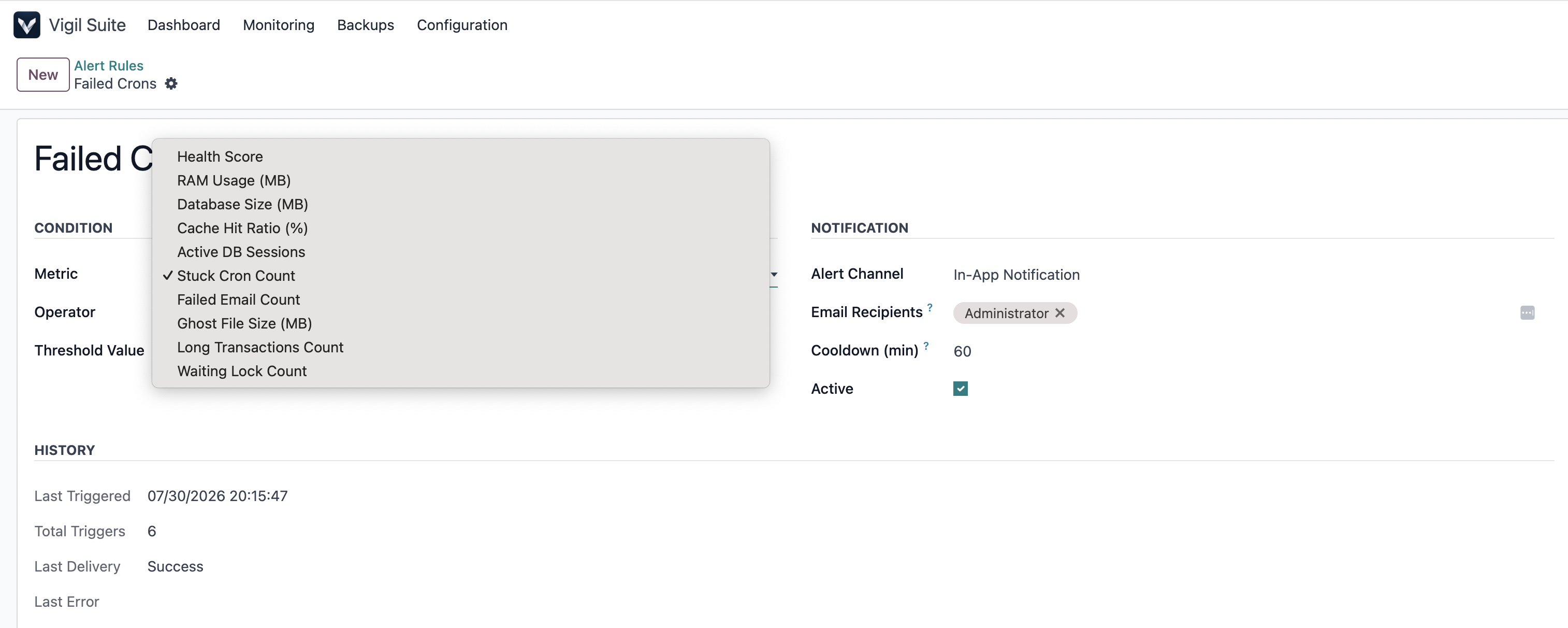
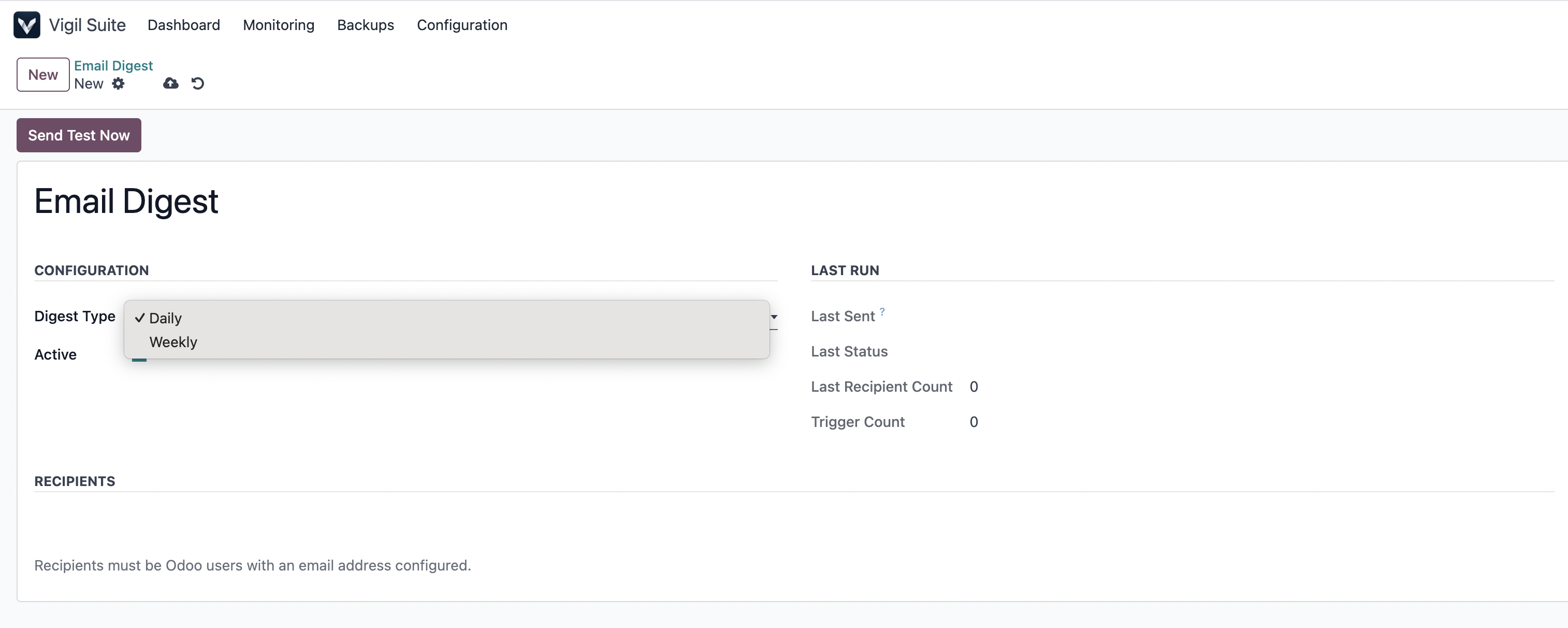
Receive proactive notifications and scheduled health reports, so you're informed before small issues become production incidents. Get notified the moment health drops below your threshold, RAM crosses a limit, or emails start failing. Plus daily and weekly recap emails so you know the system's healthy even when nothing needs your attention.
Diagnose Performance Bottlenecks
Identify exactly what's slowing your system down — from database queries and locks to the Odoo modules responsible for the load.
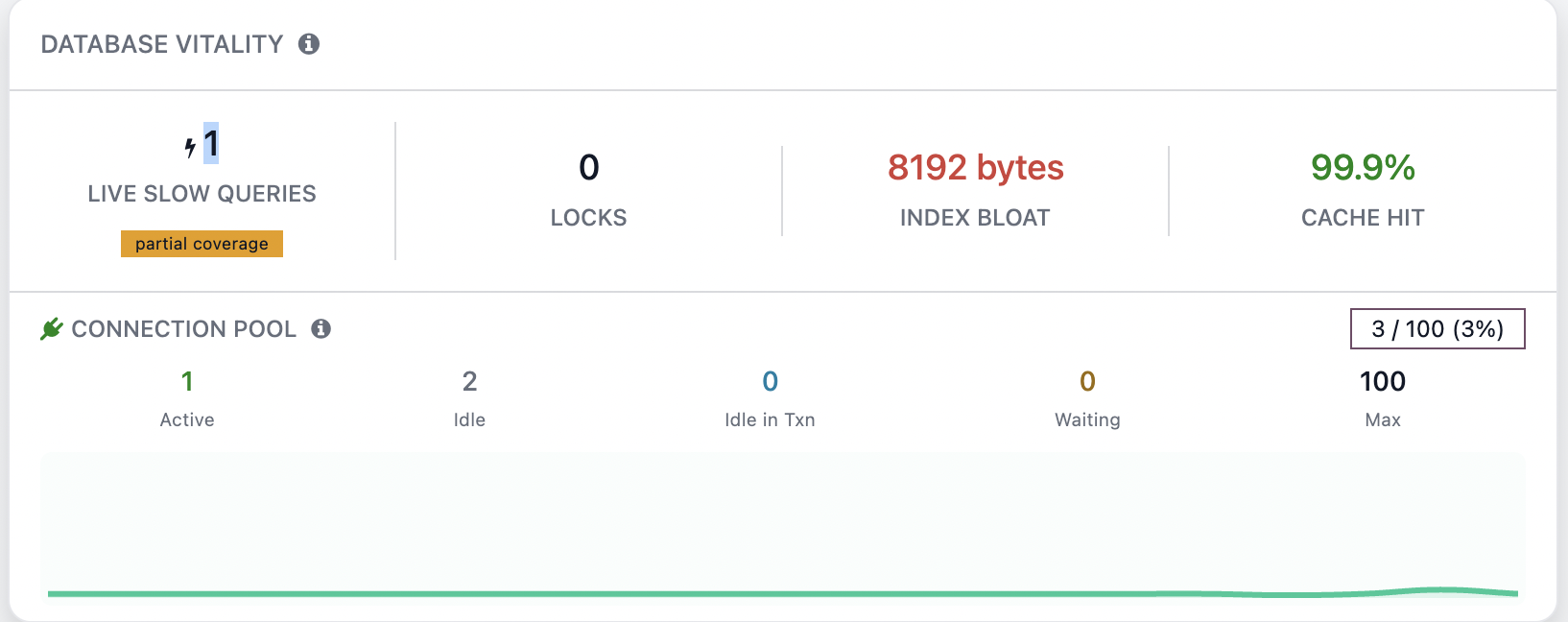
- Slow queries, locks & long transactions: Live intercept of queries >1s. Kill stuck backends from the browser.
- Connection pool tracking: Active / idle / max with sparkline and utilization %.
- Cache hit ratio: Know when your database needs more RAM before performance suffers.
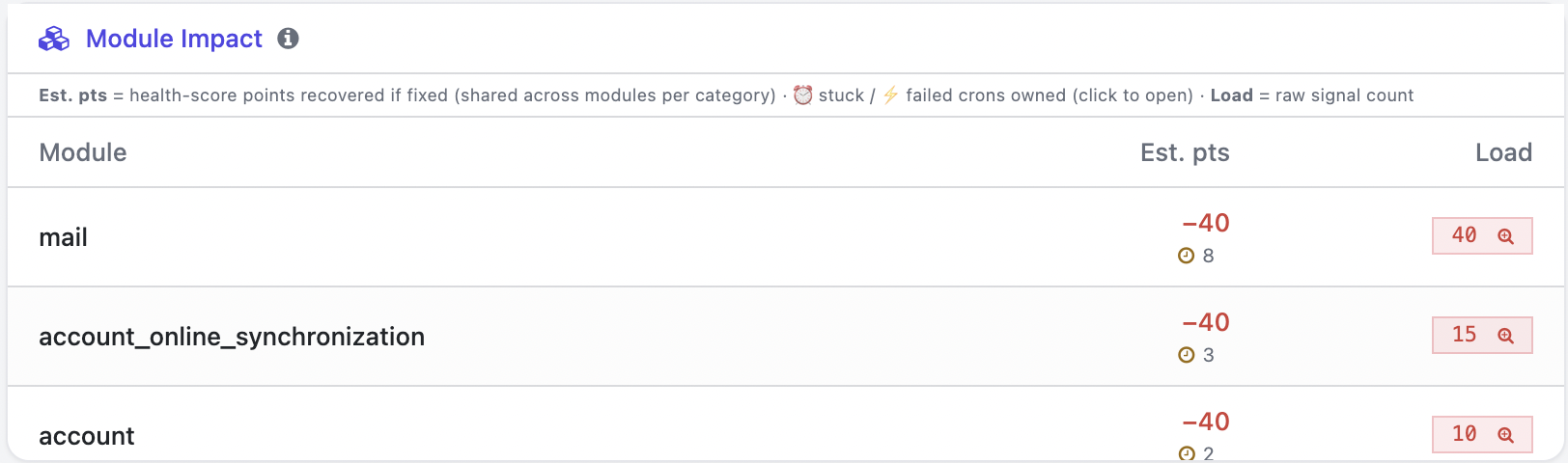
- Module impact ranking: Vigil ranks installed modules by measurable impact on the health score.
- Traceback-frame attribution: Log errors attributed by walking the Python traceback to the add-on that raised the exception.
Protect Your Data with Automated Backups
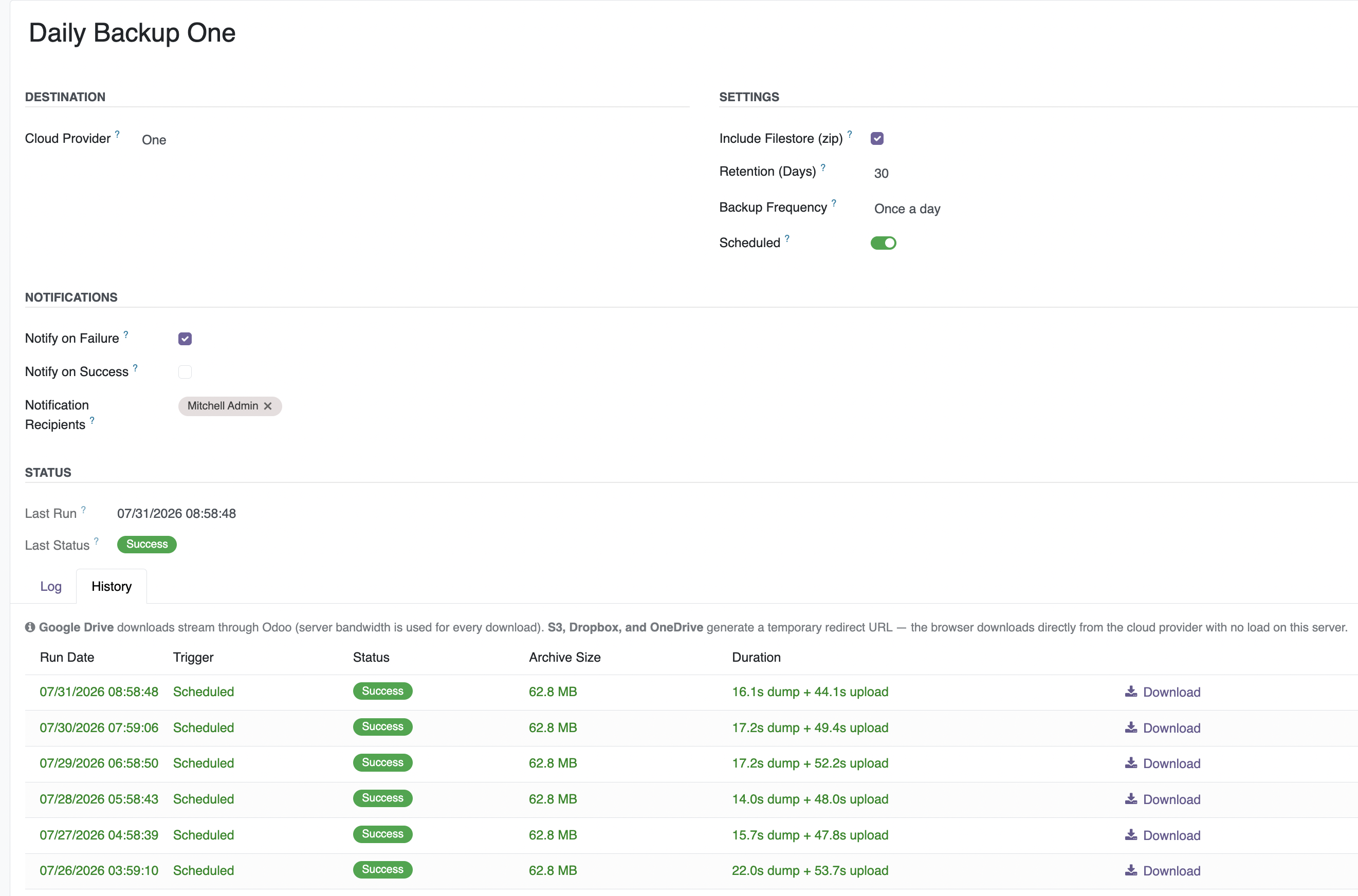
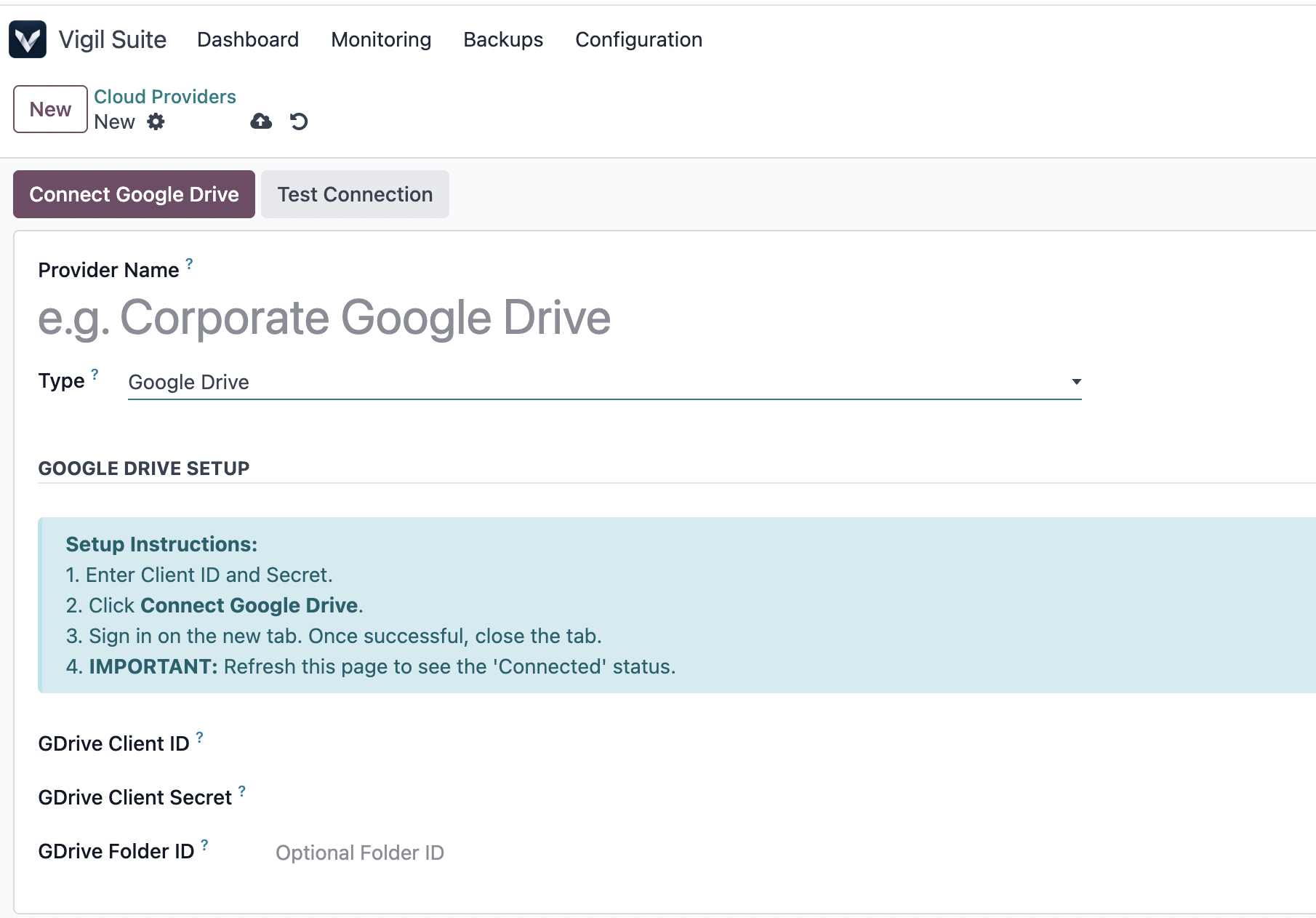
Keep every database protected with reliable, scheduled backups across the cloud providers you already use — Google Drive, OneDrive, Dropbox, Amazon S3, SFTP, FTP, or local disk. Large databases upload in chunks so slow connections don't fail mid-transfer.
- Multi-destination per job for redundancy across cloud providers.
- Chunked upload for large databases — resilient on slow or unstable connections.
- Full backup history — search past runs and download any file directly.
- Retention policies auto-prune old backups so storage stays clean.
- OAuth-secure credentials — cloud tokens rotate; no static passwords stored.
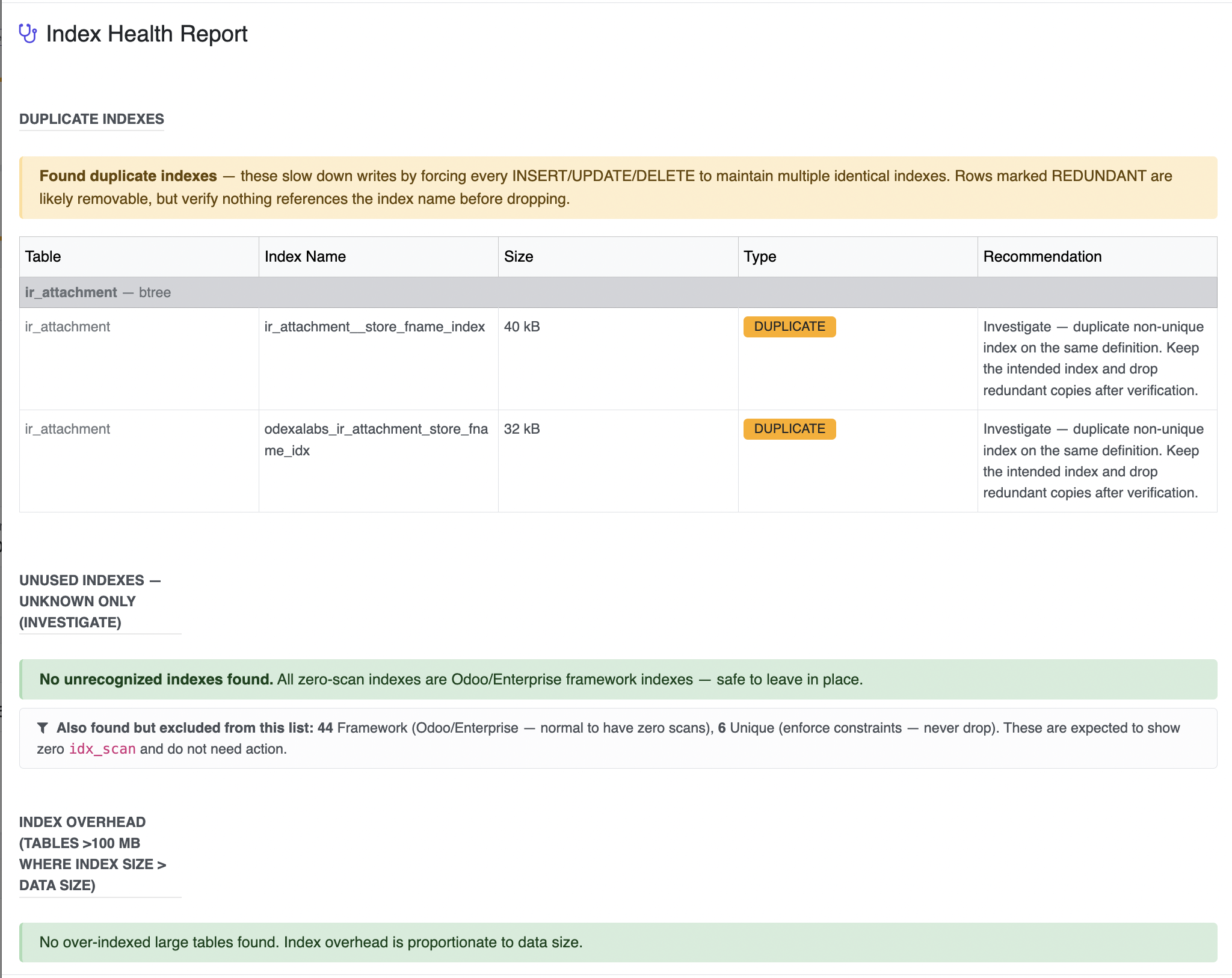
Optimize Storage & Database Health
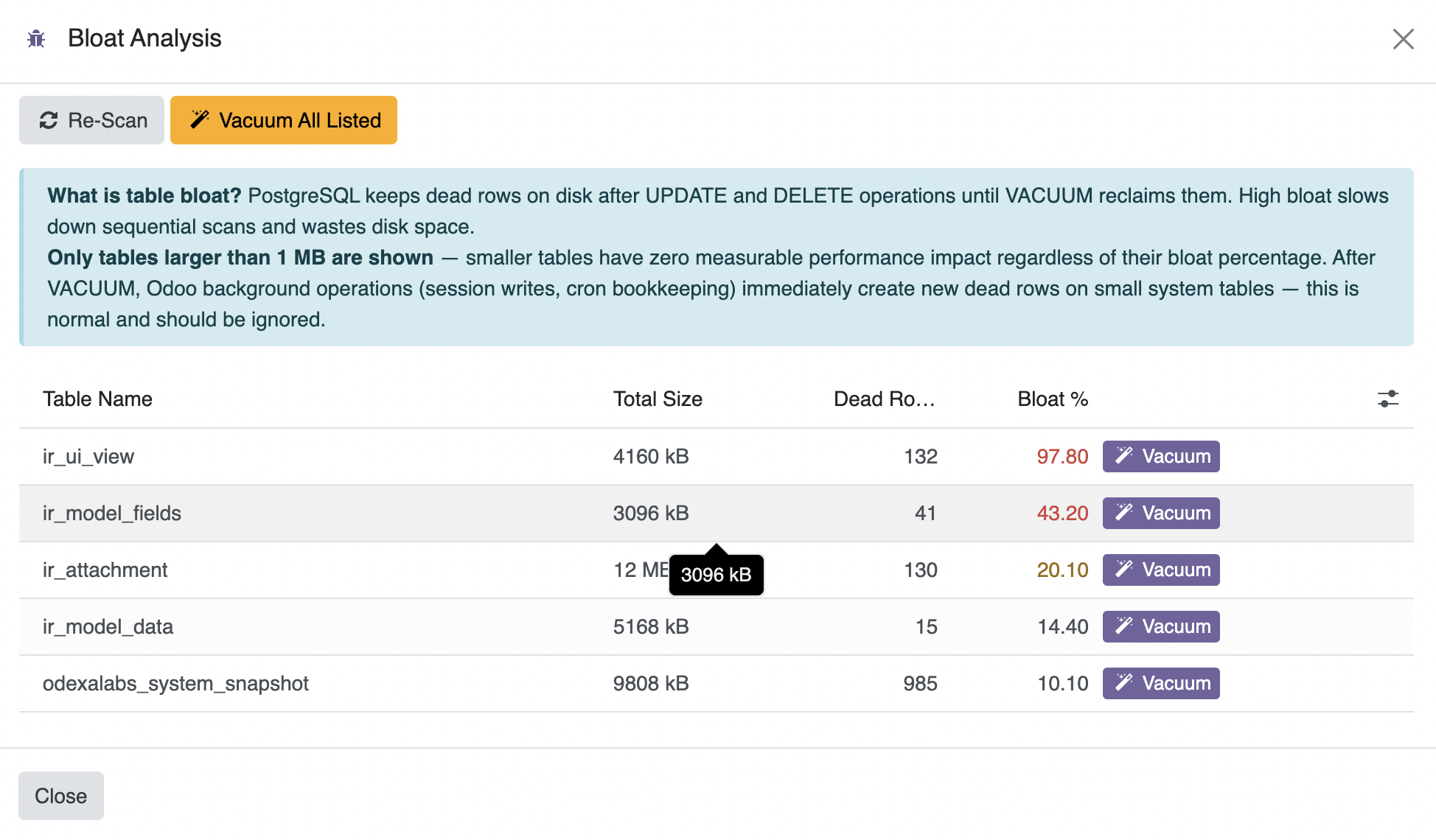
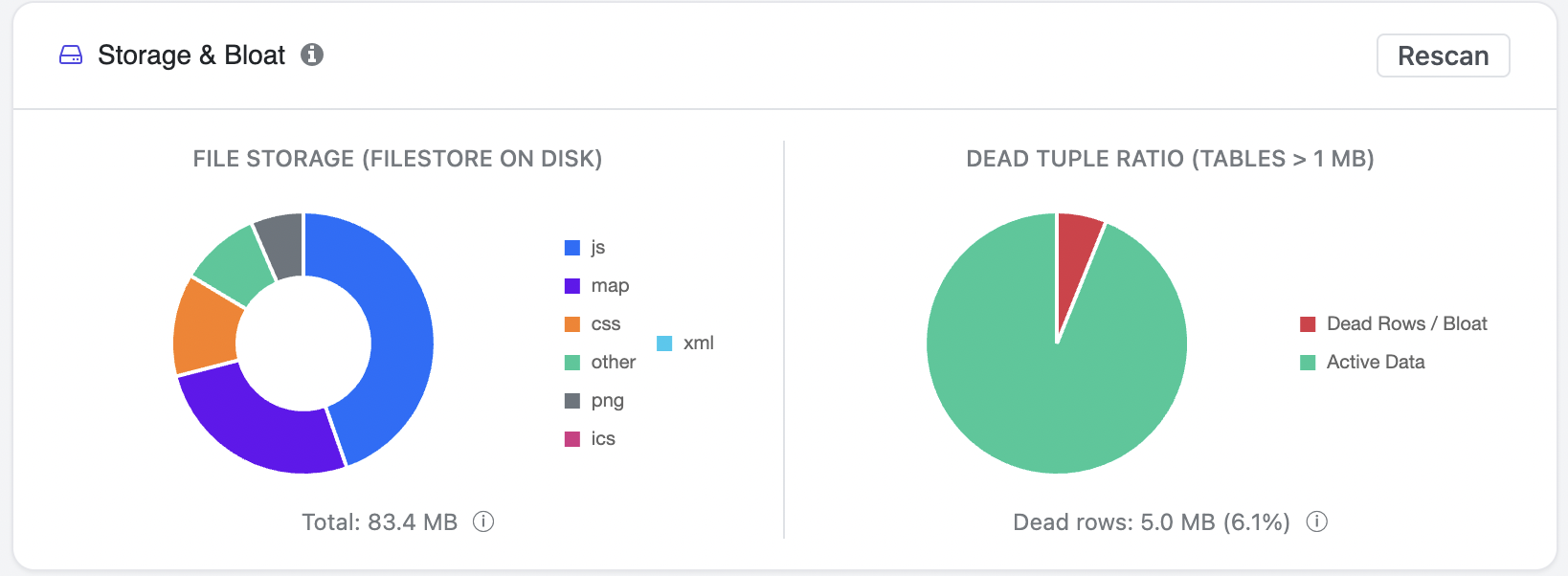
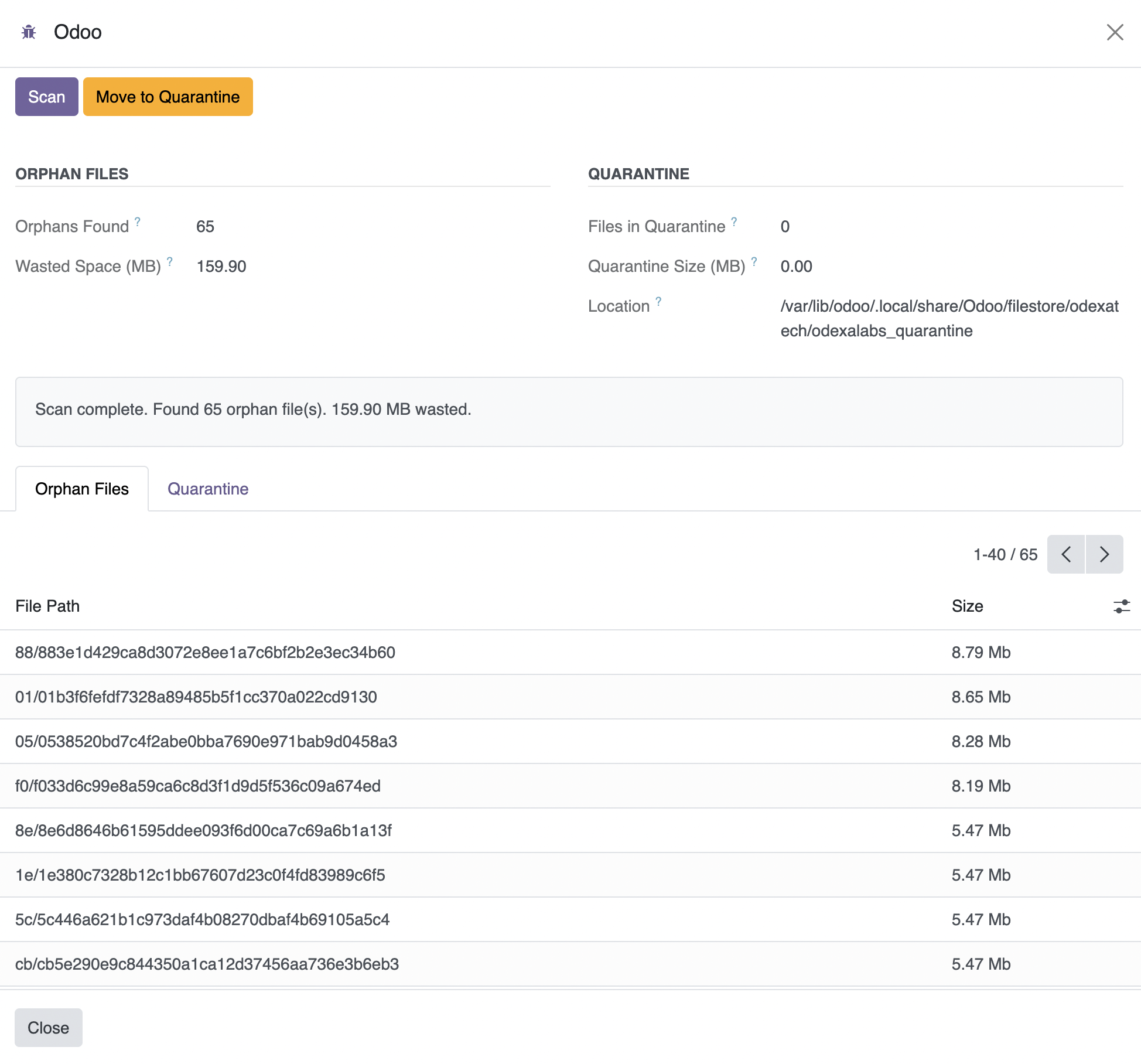
Reduce database bloat, reclaim wasted storage, prune index waste, and keep your Odoo environment running efficiently as it grows.
- Table bloat & dead tuples: Active vs dead-row ratio per table. One-click VACUUM ANALYZE.
- Ghost file scanner: Orphaned filestore files with safe quarantine before permanent delete.
- Filestore vs database size: See where your storage is actually going.
- Index Health (three signals): Duplicate indexes, Actionable Unused Waste, and Over-Indexed Tables.
- Over-Indexed Tables analysis: Flags tables where total index size exceeds heap size.
Understand Every Change
Review configuration changes, module upgrades, and runtime errors with complete historical visibility — whenever something changes unexpectedly.
- Configuration audit log: System parameters, security-group edits, server-action changes.
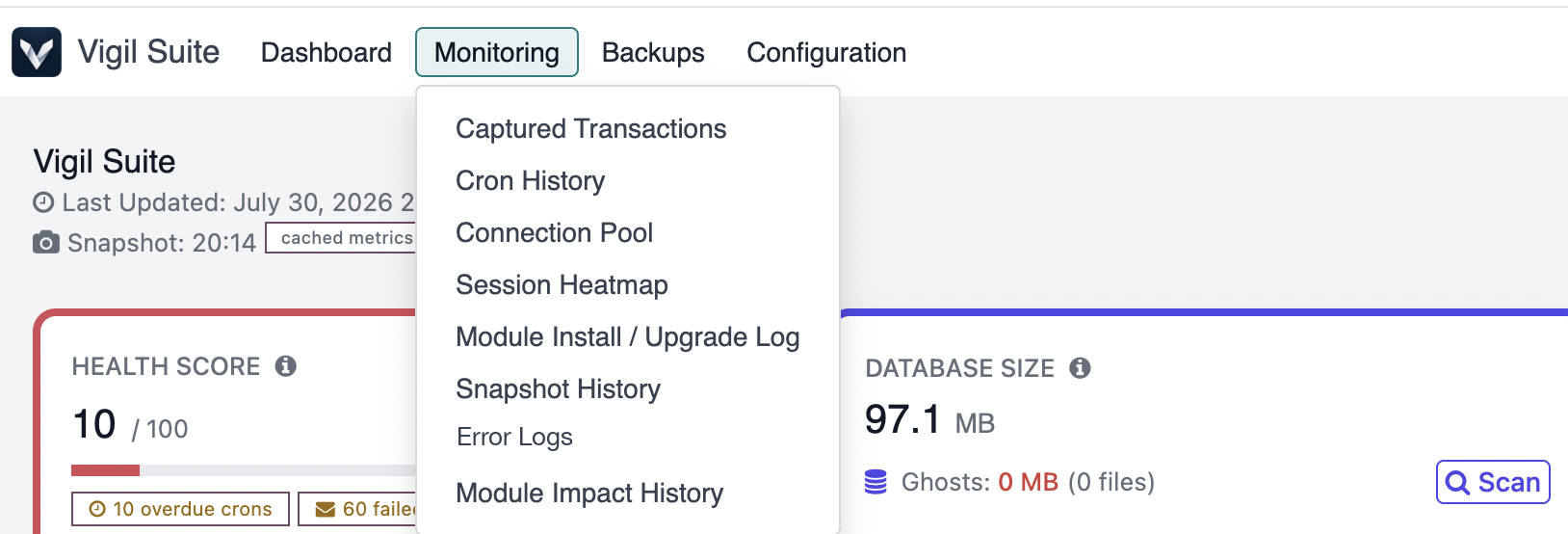
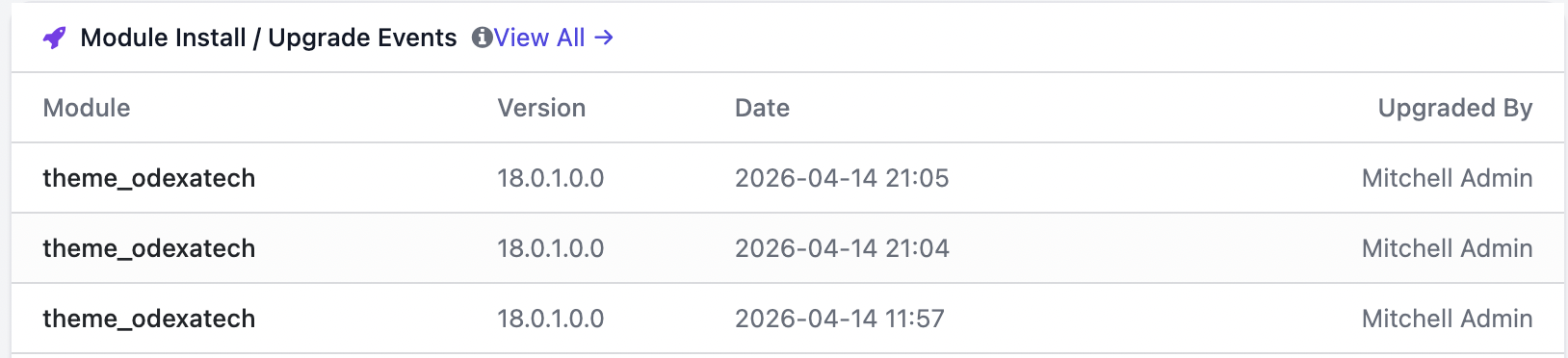
- Module install / upgrade log: Every in-Odoo install or upgrade captured with previous version, new version, timestamp, and user.
- Error log viewer: Reads log files on bare metal, in-memory ERROR capture on Docker/STDOUT.

Why Odoo needs a purpose-built operations dashboard
Generic infrastructure monitoring — Grafana, Datadog, New Relic — tells you your server has 87% RAM used and a load average of 4.2. It does not tell you that a specific Odoo cron job silently stopped running three days ago, that an unused index on account_move_line is consuming 4 GB, or that the hr_expense module is responsible for 30% of your slow queries. Vigil Suite closes that gap. Every metric on the dashboard maps back to something you can act on inside Odoo: a stuck scheduled action to re-run, a table to VACUUM, a module to roll back, a backup job to retry.
Cron reliability is the silent killer of production Odoo
Odoo's scheduled actions run recurring business logic — invoice reminders, mail queue flushing, inventory reordering, calendar sync. When a cron silently fails (raises an unhandled exception then gets auto-deactivated), the business logic simply stops. Users don't notice for days or weeks. Vigil's three-tier cron detection surfaces overdue, silently-failed, and auto-deactivated crons on the dashboard the moment it happens, with a one-click drill-down to the offending record and its most recent traceback.
PostgreSQL bloat compounds quietly
Odoo writes heavily. Every stock move, every mail message, every audit log entry adds rows to already large tables. Without VACUUM, dead tuples accumulate, indexes bloat, and query planner statistics drift. The result is a database that runs fine for six months, then degrades noticeably over the next six. Vigil's Storage & Bloat analyzer surfaces the top offenders by dead-tuple ratio, lets you run VACUUM ANALYZE with one click, and separately tracks index bloat where autovacuum can't help. The Over-Indexed Tables signal flags where your total index size exceeds heap size — a strong indicator of duplicated or unused indexes that are costing you both storage and write throughput.
Backup that survives worker limits
Odoo's built-in database backup is a foreground HTTP download — it holds a worker for the entire dump duration. For a 20 GB database on a modest server, that's 15-30 minutes of worker time; on Odoo.sh with a 300 second HTTP timeout, it simply fails. Vigil's Backup Manager streams the dump in chunks directly to your chosen destination — Amazon S3, Google Drive, OneDrive, Dropbox, SFTP, FTP, or local disk — with resume-on-failure semantics and multi-destination writes for redundancy. Retention policies prune old backups automatically so your storage bill doesn't grow unbounded.
Docker-aware from day one
Running Odoo in Docker changes what RAM you can trust. psutil.virtual_memory() reports the host's memory, not the container's — misleading you into thinking you have headroom you don't. Vigil detects cgroup limits and reports RAM against the container ceiling. Worker counting adapts to threaded vs multi-worker deployments; log tailing falls back to in-memory ERROR capture when STDOUT logging is in use. The dashboard works identically whether you run ./odoo-bin, systemd, docker-compose, or docker swarm.
Why Teams Choose Vigil
Compare the operational capabilities available out of the box with the additional monitoring, diagnostics, protection, and maintenance tools provided by Vigil.
| Feature | Standard Odoo | Vigil Suite |
|---|---|---|
| Health Score | ✗ | ✓ |
| Alert Rules | ✗ | ✓ |
| Cron Monitoring | Basic | ✓ (3-tier) |
| Storage & Bloat Analysis | ✗ | ✓ |
| Ghost File Scanner | ✗ | ✓ |
| Module Impact Attribution | ✗ | ✓ |
| Automated Cloud Backup | ✗ | ✓ (7 providers) |
| Session Heatmap | ✗ | ✓ |
| Email Digest | ✗ | ✓ |
Everything In One Place
15+ signals monitored automatically. No agents to install, no SSH access needed.
System Health Score
Dynamic 0-100 score penalising stuck crons, failed emails, high RAM, and database bloat.
RAM & Worker Load
Odoo-only RAM tracking. Adaptive worker/DB-connection gauge. Docker-native.
Database Vitality
Slow queries, table locks, index size, bloat estimation, connection pool, cache hit — real time.
Cron Failure Detection
Three-tier detection plus 24h performance tracking.
Storage & Bloat
Table bloat pie chart, one-click VACUUM, ghost file scanner, unused-index detection.
Module Impact Analysis
Which module is degrading your instance? Scored across 4 signals with per-module drill-down.
Session Heatmap
14-day rolling heatmap of active users. Ideal for scheduling maintenance.
Error Log Viewer
Reads log files on bare metal, in-memory ERROR capture on Docker/STDOUT.
Backup Manager
Automated backups to 7 cloud destinations. Chunked uploads. Auto-retention.
Module Install / Upgrade Log
Automatic capture of every install or upgrade with versions, timestamp, and user.
Configurable Alert Rules
Custom thresholds on 10 metrics with email or in-app notification.
Email Digest
Daily and weekly recap emails. Built on standard Odoo email templates.
Built for Every Odoo Operator
Whether you run Odoo for your own business or maintain it for others, Vigil Suite gives you the visibility you need.
Businesses Running Odoo
SMB & Mid-Market
Know backups ran last night. Get emailed before users complain. No IT team required.
Odoo Partners
Multi-Client Ops
One health score per client. Catch issues before the call. Concrete metrics justify your retainer.
In-House SysAdmins
VPS & Docker
Replace Grafana + Prometheus + bash scripts with one Odoo-aware module. Everything in the browser.
Hosting & SaaS Ops
Self-Hosted Fleets
Sleep through the night. Alerts before customers churn. Spot module impact before upgrades hurt.
Docs & Support
Everything you need to install, configure, and get help — one place for each.
Documentation
Setup, cloud-provider configuration, feature reference, troubleshooting.
Open the user guideDedicated Support
60 days of free bug fixes · Free minor updates · Comprehensive docs.
Contact SupportFrequently Asked Questions
Vigil is designed for production use. It relies on standard Odoo and PostgreSQL statistics, collecting lightweight snapshots at configurable intervals without introducing noticeable overhead. It requires no external agents and no SSH access.
Yes. Vigil supports both Docker and traditional VPS deployments, with Docker-aware resource monitoring (cgroup RAM tracking) and intelligent fallbacks for environments where log files aren't directly accessible.
Seven providers: Amazon S3 (and S3-compatible), Google Drive, Microsoft OneDrive, Dropbox, SFTP, FTP, and local disk. Multi-destination per job is supported for redundancy. Databases larger than 10 GB are recommended to use S3 for signed-URL downloads.
Yes. OAuth-enabled providers (Google Drive, OneDrive) use secure token-based authentication with automatic token refresh. Other credentials are stored using Odoo's protected password fields.
Odoo 17.0, 18.0, and 19.0 — both Community and Enterprise editions. The dashboard, alert engine, backup manager, and diagnostic wizards are version-aware.
A one-time license grants perpetual use on one Odoo database. Included: 60 days of free bug fixes, free minor updates, comprehensive online documentation, and email support at support@odexalabs.com.
Run Odoo with Confidence
Get the visibility your production Odoo instance deserves. One module, no external agents required, fifteen real-time signals, all from the browser.